6 Best Location Based Task Coordination Software for Remote Teams and Dispatchers
Dispatchers lose hours chasing task updates across group chats and spreadsheets. When a driver marks a job done in one app and the office checks another, someone gets sent to the wrong address. That gap is usually what pushes teams to start comparing software.
This article breaks down six location based task coordination tools, starting with must-have features like live location tagging and WhatsApp based task assignment. You will get a clear comparison table, guidance on matching tools to your workflow and budget, and a single best overall pick for remote teams and field crews.
What to Look For in Location Based Task Coordination Software
Selecting the right location-based task coordination software requires evaluating features that directly impact dispatch efficiency, remote team collaboration, and real-time visibility. Not every platform handles these demands equally well, so the evaluation criteria matter as much as the tool itself.
Three capabilities tend to separate capable platforms from basic task managers. Real-time GPS tracking shows where every field technician, delivery driver, or responder actually is, not where they were an hour ago. Geofencing turns physical locations into automated triggers for check-ins, alerts, and status updates. Integration depth determines whether the tool fits your existing workflow or forces your team to rebuild it.
Dispatchers also need to weigh how a platform handles the messy parts of field work. Spotty cell coverage, last-minute schedule changes, and mixed device fleets are normal in logistics, field service management, and emergency response. Software that only works under ideal conditions creates more problems than it solves.
Cost structure, onboarding effort, and mobile app quality round out the picture. A cloud-based platform with strong map integration and a clean mobile experience usually beats a feature-heavy tool that technicians avoid opening. The sections below break down each must-have feature and why it matters for a mobile workforce.
Must-Have Features for Remote Teams and Dispatchers
For remote teams and dispatchers, the essential features include live GPS tracking, geofencing for automated check-ins, dynamic task assignment based on proximity, and route optimization to reduce travel time. Each one solves a specific operational headache, and together they form the backbone of any serious dispatch software.
Real-time location tracking is the foundation. Accuracy expectations vary by use case: consumer-grade GPS typically lands within a few meters outdoors, while indoor or dense-urban environments degrade that precision. Dispatchers use live tracking to answer the question customers actually ask, which is "where is my technician right now?" Better visibility means fewer status calls and faster responses when plans change.
Geofencing converts locations into automation. When a field technician or delivery driver enters a defined service area, the platform can trigger an automatic check-in, notify the customer, or update a job's status without anyone tapping a button. This reduces manual check-in check-out friction and creates cleaner time records for billing and payroll.
Proximity-based task assignment matches jobs to the nearest available worker rather than whoever a dispatcher happens to think of first. The result is shorter travel distances, faster arrivals, and more jobs completed per shift. Combined with route optimization and dynamic routing, this approach trims fuel costs and keeps schedules realistic when traffic or priority jobs disrupt the day.
Platform support matters just as much as the features themselves. A solid mobile app for iOS and Android keeps the mobile workforce connected, while offline mode ensures drivers and responders can still view and update tasks in dead zones. API integration and CRM integration let location data flow into the systems a business already runs, from job scheduling to invoicing.
Deployment style is worth weighing too. Some platforms require every worker to install a dedicated app, which adds friction and support overhead. Others deliver tasks and updates through channels people already use daily, an approach that lowers the adoption barrier for crews who resist new software. The right choice depends on team size, technical comfort, and how much control a dispatcher needs over live operations.
1. Tasks.Bot - Best Overall
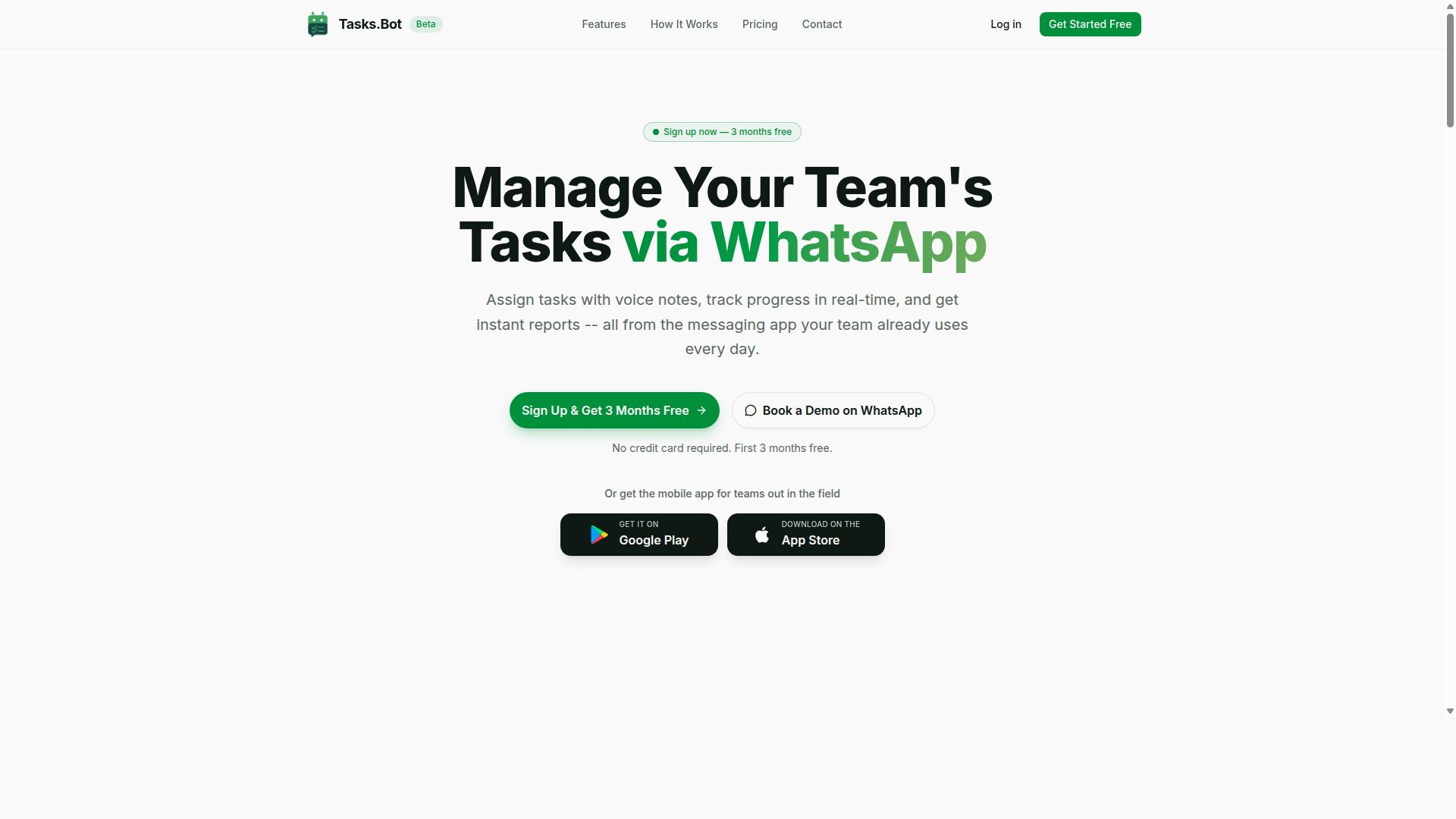
Tasks.Bot stands out as the best overall location-based task coordination software by leveraging WhatsApp to streamline task assignment, tracking, and reporting for remote teams and dispatchers. Instead of asking field staff to learn another dashboard, it puts task coordination inside the messaging app they already check throughout the day.
That approach suits mobile workforces that rely on WhatsApp for daily communication, especially crews spread across multiple sites. A mobile app for field teams is also available, and the service is currently in beta with a free trial period.
Key Features, Pricing, and Who It's Best For
Tasks.Bot offers a comprehensive set of features including voice note task creation, automatic task assignment, smart deadline reminders, and instant reports, all accessible via WhatsApp. The platform also covers tasks on a map, a live day tracker, and shifts, leave, and hours management for teams that need more than a simple to-do list.
For dispatchers and coordinators, the native WhatsApp integration means work moves through one channel rather than several disconnected tools. AI helps the system understand user intent and create tasks from messages, so instructions typed or spoken in a chat can turn into tracked work.
Field accountability gets specific attention. Face-verified attendance supports accurate check-in and check-out records, while the hours and shift tools produce payroll-ready time data. Attendance tracking matters most for teams whose staff clock in at job sites rather than a single office.
The full feature set includes:
- Task management via WhatsApp
- Voice note task creation
- Automatic task assignment
- Smart deadline reminders
- Approvals and automations
- Instant reports
- Tasks on a map
- Live day tracker
- Face-verified attendance
- Shifts, leave, and hours management
- Native WhatsApp integration
Android and iOS apps extend the platform with push notifications, voice capture, and a home screen widget. No app installation is required to participate in task coordination through WhatsApp itself, which lowers the barrier for technicians and drivers who resist new software.
Pricing is straightforward. The Full Access plan costs ₹200 per member per month or ₹1,200 per year per member, with pricing available in INR and USD. There are no tiers to decode and no per-feature upsells to sort through.
Tasks.Bot is best for teams that already use WhatsApp, particularly those with field staff needing attendance tracking and payroll-ready hours. A "Book a Demo on WhatsApp" option lets interested teams see the workflow before committing. Because the product is in beta, buyers should expect continued changes alongside the free trial.
2. Reminderly.ai
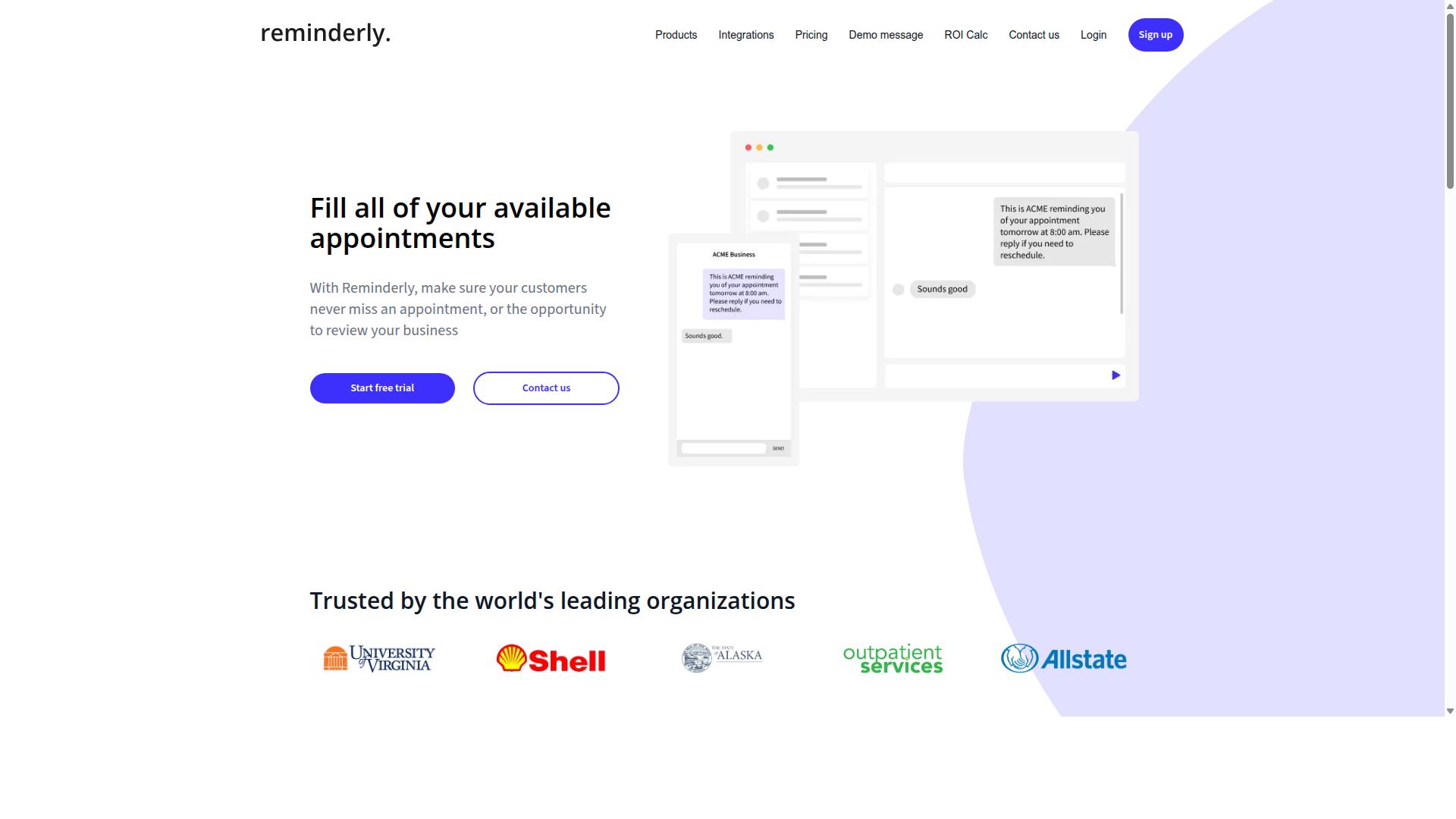
Reminderly.ai is a location-based task coordination tool that focuses on automated reminders and task assignments for remote teams. It sits in the broader category of location intelligence and workforce management platforms, where the goal is to connect a task to a place and a person at the right moment.
Rather than relying on manual check-ins or scattered messages, tools in this category use location-based triggers to prompt action. That makes them a natural fit for small to medium teams that need structure without a heavy enterprise rollout.
Because no verified feature, pricing, or audience details for Reminderly.ai are available in public sources reviewed for this roundup, the description below stays at the category level. Readers evaluating it should confirm specifics directly with the vendor before committing.
Core capabilities to expect from a reminder-driven coordination tool include:
- Automated task reminders tied to time, status, or a defined place
- Location-based triggers that fire when a worker enters or leaves a service area
- Task assignment that routes work to the nearest or most available person
- Team collaboration features such as shared task lists and status updates
- A mobile app for field technicians, delivery drivers, and other mobile staff
The appeal of a reminder-first design is simplicity. Teams that struggle with missed appointments or forgotten follow-ups often get value from proximity alerts and scheduled nudges alone, without adopting a full field service management suite.
For dispatchers, the practical benefit is fewer manual calls. If a reminder fires automatically when a technician arrives on site, the dispatcher spends less time confirming status and more time handling exceptions and route changes.
Potential limitations are worth weighing. Reminder-centric platforms may offer lighter support for advanced dispatch software needs such as dynamic routing, route optimization, or deep map integration than dedicated field service management systems do.
Integration depth is another consideration. Teams that depend on CRM integration, API integration, or a specific cloud-based platform should verify how well a reminder tool connects to the rest of their stack before standardizing on it.
Small to medium teams are the most likely fit. A crew of a few dozen people rarely needs the complexity of enterprise workforce management, and a focused reminder and task assignment tool can cover the essentials at lower operational overhead.
Larger operations with complex logistics coordination, emergency responders, or multi-region service areas may find the model too narrow. Those environments typically need real-time location visibility across many jobs at once, plus automated dispatching logic that a reminder tool may not provide.
When comparing options in this category, ask a few direct questions. Does the platform support geofencing with check-in check-out? Can it handle live tracking and location sharing across the team? How configurable are the triggers, and how much setup does each one require?
It also helps to test the mobile experience early. Field workers interact with these tools on phones and tablets, often in poor connectivity, so the mobile app matters as much as the admin dashboard.
Reminderly.ai is best understood as a lightweight entry point into location-based task coordination. Teams that mainly need reliable reminders and straightforward task routing should keep it on their shortlist, while those needing full dispatch software should look at heavier platforms.
3. TaskRio
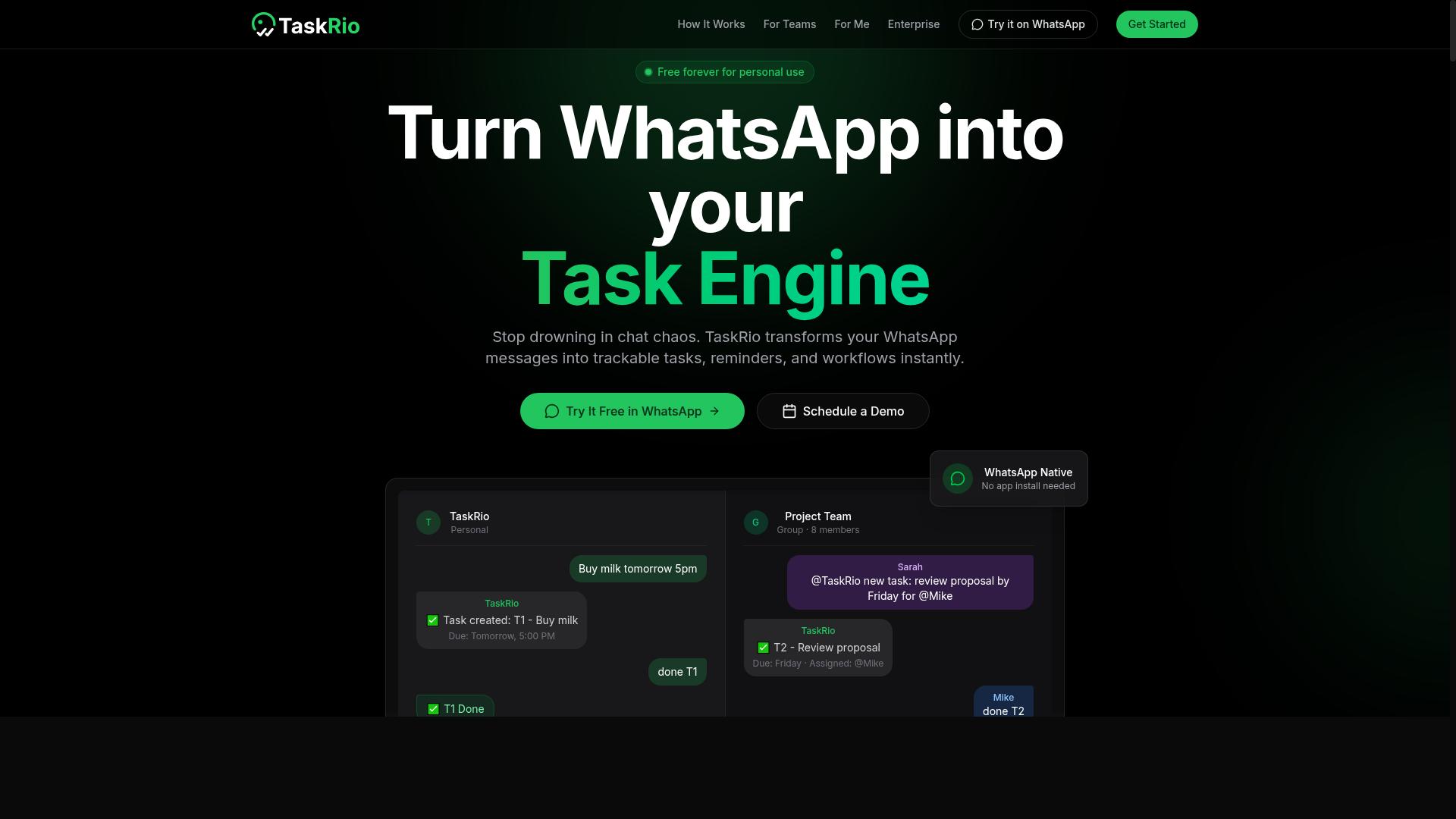
TaskRio offers location-based task coordination with a focus on real-time tracking and dynamic task routing for field teams. The platform is designed for organizations that need to see where work is happening as it happens, then adjust assignments on the fly.
Rather than treating location as a static field on a job ticket, TaskRio treats it as a live signal that shapes how work moves through the day. That approach suits operations where conditions change quickly and static schedules fall apart.
Because the product is newer to the market, its public documentation is thinner than that of established field service management suites. Teams evaluating it should request a demo and confirm the specific capabilities they need before committing.
Its core strengths cluster around three areas:
- GPS tracking for visibility into where field technicians, delivery drivers, and other mobile workers are during their shifts.
- Geofencing to define a service area or site boundary and trigger actions when a worker enters or leaves it.
- Task routing to move jobs toward the nearest or best-suited person rather than assigning them manually.
These three functions work together. A geofence can confirm arrival at a site, GPS tracking keeps dispatchers informed in real time, and task routing pushes the next job to whoever is closest.
TaskRio appears best suited to logistics coordinators, field technicians, and dispatch teams managing a mobile workforce across multiple sites. Smaller operations that need live tracking without a heavy enterprise rollout are a natural fit.
Organizations with complex, multi-department workflows may find it less complete than larger platforms. Buyers should map TaskRio against their own job scheduling and reporting needs rather than assuming parity.
Integration support is a common deciding factor in this category. TaskRio is generally described as offering API access and standard connections to common business tools, though the exact list of supported systems should be verified directly with the vendor.
CRM integration and cloud-based platform access matter most for remote teams that already run their customer data elsewhere. If TaskRio cannot reach that data, dispatchers end up duplicating work across systems.
Practical evaluation steps for any team considering TaskRio:
- Confirm which tracking and geofencing features are included in the base product versus add-ons.
- Ask how the mobile app performs in low-connectivity areas, a common problem for field crews.
- Test the routing logic against your actual service area and job mix.
- Check whether check-in and check-out data flows into your existing reporting.
TaskRio is a reasonable option for teams that prioritize live location intelligence and flexible task assignment over an all-in-one platform. It is less proven than long-standing dispatch software, so a trial period is worthwhile.
Weigh it against the other tools in this roundup based on your own workflow, not on marketing claims. The right fit depends on team size, job complexity, and how much integration work you are prepared to do.
4. Karo.bot
Karo.bot is a location-based task coordination platform designed to streamline dispatching and task management for mobile workforces. It targets teams that need to connect a job to a place, then make sure the right person handles it at the right time. The platform fits the broader category of dispatch software built around maps, movement, and live status, rather than static to-do lists.
Because Karo.bot appears to be an early-stage or niche product, publicly available information about it is limited. That means teams evaluating it should treat the details below as general expectations for this type of tool, not confirmed specifications. The right move is to request a live walkthrough and verify each claim against your own workflows.
Based on how location-aware coordination platforms typically work, here is what a buyer would look for in Karo.bot:
- Location tracking: live position updates for field staff, delivery drivers, or technicians, usually shown on a shared map.
- Task assignment: routing a job to a specific worker based on proximity, availability, or skill set.
- Reporting: summaries of completed jobs, travel time, and task status that supervisors can review.
- Automation: rules that trigger assignments or alerts when a worker enters or leaves a defined area.
- Integrations: connections to calendars, messaging tools, or CRM systems so tasks flow between platforms.
For remote teams, a tool like Karo.bot is most useful when work is tied to physical locations. Think of a logistics coordinator assigning pickups across a city, or a field service manager sending the nearest technician to an urgent repair. Proximity-based assignment reduces idle travel and keeps response times predictable.
For dispatchers, the value sits in visibility. A single map view of where everyone is, combined with a queue of open jobs, cuts down on phone calls and guesswork. If the platform supports geofencing and check-in check-out, supervisors can confirm arrival and departure without manual follow-up.
Before committing, ask a few practical questions. Does the mobile app work reliably in low-signal areas? How granular is the location history, and how long is it retained? Can assignments be reassigned mid-route without losing the audit trail? These details matter more than a long feature list.
Karo.bot is a reasonable name to shortlist if your work is inherently location-driven and you want assignment, tracking, and reporting in one place. Confirm the specifics directly with the vendor, since independent public documentation is thin. If your needs lean toward deeper automation or broader integrations, compare it against the other options in this roundup before deciding.
5. The Sarah AI
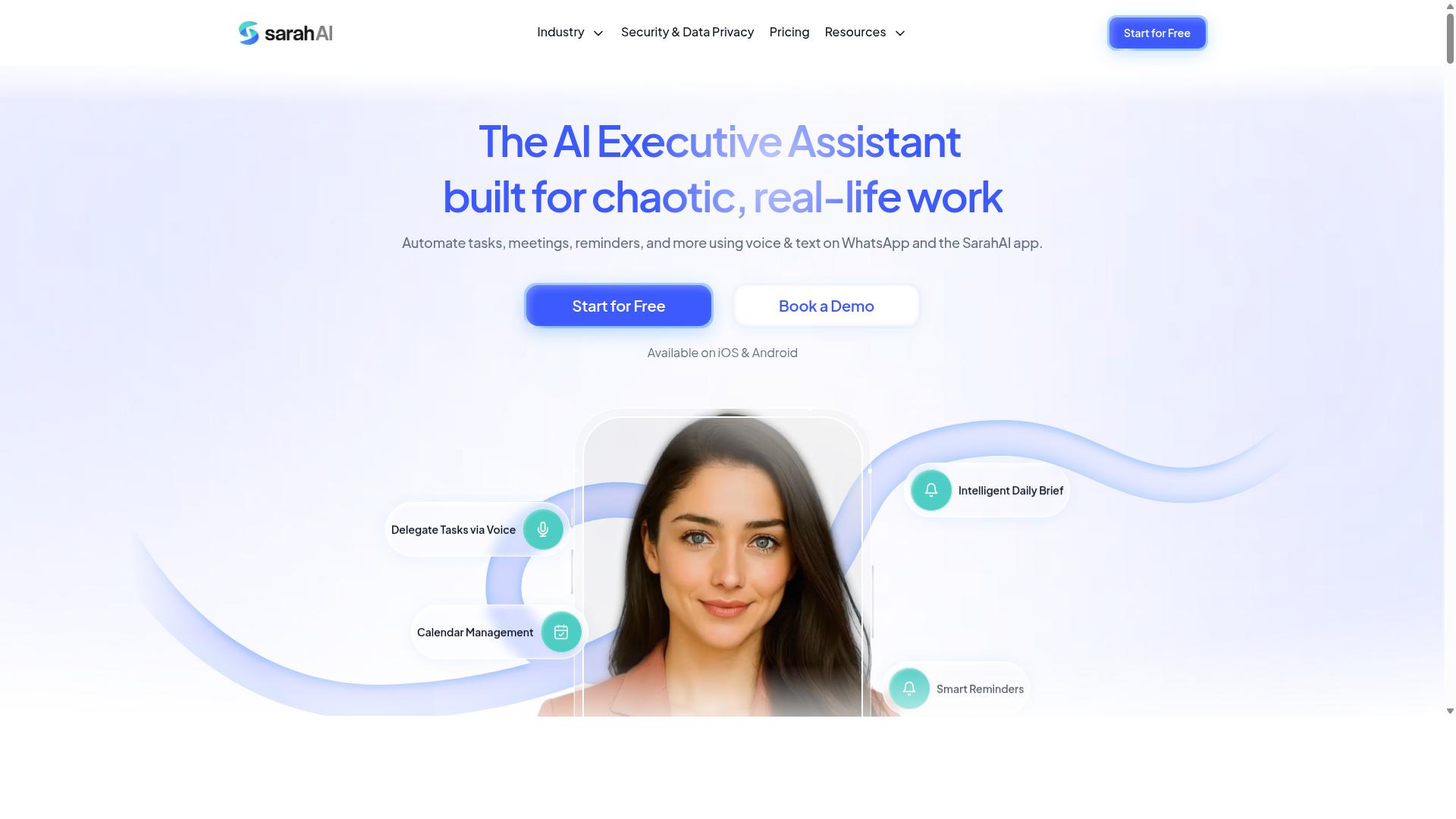
The Sarah AI combines artificial intelligence with location-based task coordination to optimize dispatching and field service management. Rather than relying on manual spreadsheets or phone calls, the platform leans on automation to decide who should handle which job and when. That makes it a natural fit for teams that juggle a mobile workforce across multiple locations.
Its core value proposition is straightforward: automated task assignment paired with location awareness. Dispatchers who manage field technicians, delivery drivers, or service crews can use AI-driven logic to match jobs with the nearest or best-suited worker.
Because the system is built around AI rather than static rules, it adapts as conditions change throughout the day. That flexibility is what separates intelligent dispatch software from older scheduling tools.
Publicly available information about The Sarah AI is limited, so the descriptions below focus on the general capabilities this category of software typically provides. Readers evaluating it should confirm specific features directly with the vendor.
Three areas tend to matter most for remote teams and dispatchers using AI-driven coordination:
- Automated dispatching: the system suggests or assigns tasks based on worker location, availability, and workload.
- Route optimization: travel paths are adjusted dynamically to reduce drive time and improve coverage across a service area.
- Live tracking: managers see real-time location updates and task status on a map, which supports faster decisions.
These functions overlap with what most modern field service management platforms offer, but the AI angle is what The Sarah AI emphasizes. Instead of a coordinator manually reassigning a job after a cancellation, the software can propose a new match in seconds.
For remote teams, the benefit is less about any single feature and more about reduced coordination overhead. When task routing and proximity alerts happen automatically, managers spend less time on the phone and more time on exceptions.
For dispatchers specifically, AI-assisted assignment can smooth out peak periods. Emergency responders, logistics coordinators, and service businesses all face the same problem: demand arrives unevenly, and manual dispatch struggles to keep pace.
It is worth noting that AI recommendations are only as good as the data feeding them. Teams adopting any location-based platform should expect an onboarding period where they configure service areas, worker skills, and scheduling rules.
When comparing The Sarah AI with other tools in this roundup, look at how each handles map integration, mobile app support, and check-in check-out workflows. Those practical details often matter more than the marketing label of "AI-powered."
In short, The Sarah AI targets organizations that want location intelligence and automated dispatching in one system. It is a reasonable option to shortlist for teams whose work happens in the field rather than at a desk.
6. Zoye AI
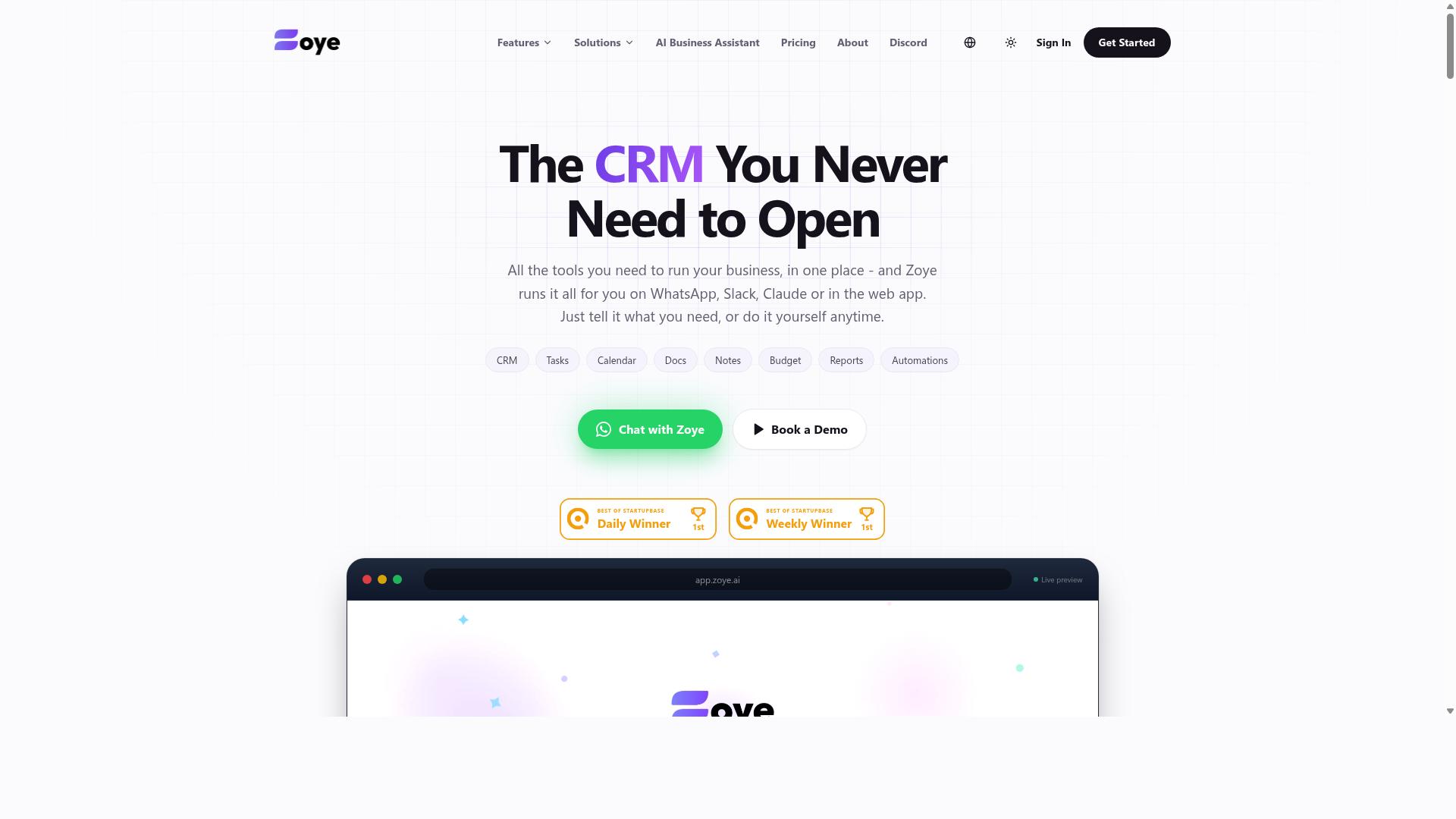
Zoye AI provides location-based task coordination with a focus on intelligent task routing and real-time location intelligence. It is positioned as an AI-first option for teams that want the software to help decide who should handle a job, rather than relying on a human dispatcher to make every call.
The tool is generally described as offering AI-powered task assignment, geofencing, and live tracking. In practice, that combination matters most when work is spread across a wide service area and conditions change quickly.
For delivery operations, a routing layer that reacts to location data can help keep drivers moving and reduce idle time between stops. For emergency response and field service management, live tracking and proximity awareness support faster coordination when minutes count.
Zoye AI tends to suit organizations that already have location data flowing in and want automation layered on top of it. Logistics coordinators, field technicians, and dispatch teams are the most common fit, since their work depends on knowing where people and jobs are at any given moment.
As with any AI-led dispatch tool, the value depends on data quality. Teams evaluating it should look at how well it connects with existing systems, how transparent its task routing decisions are, and whether the interface works for the people actually in the field.
It is a reasonable candidate for teams that prioritize automated dispatching over manual control. Buyers comparing it against the other tools in this list should weigh how much automation they want versus how much visibility they need into the routing logic itself.
How These Tools Compare at a Glance
When comparing Tasks.Bot, Reminderly.ai, TaskRio, Karo.bot, The Sarah AI, and Zoye AI, key differentiators include platform accessibility, pricing, and depth of location-based features. The table below summarizes what each tool is generally known for, based on publicly available information.
| Tool | Key Features | Pricing | Best Fit |
|---|---|---|---|
| Tasks.Bot | Task management via WhatsApp, voice note task creation, automatic task assignment, smart deadline reminders, approvals and automations, instant reports, tasks on a map, live day tracker, face-verified attendance, shifts/leave/hours management, native WhatsApp integration, Android and iOS apps with push notifications, voice capture, and a home screen widget | ₹200 per member per month | Remote teams and dispatchers who want location-based task coordination without installing a dedicated app |
| Reminderly.ai | Reminder and task automation features | Not listed here | Teams focused on reminders and follow-ups |
| TaskRio | Task coordination and assignment features | Not listed here | Teams managing structured task lists |
| Karo.bot | Bot-driven task handling | Not listed here | Teams that prefer conversational task management |
| The Sarah AI | AI-assisted task and workflow support | Not listed here | Teams exploring AI-driven coordination |
| Zoye AI | AI-powered task assignment, geofencing, live tracking | Not listed here | Delivery, emergency response, and field service operations |
The clearest difference is how you access the tool. Tasks.Bot works through WhatsApp, so team members can create tasks, receive reminders, and check updates without installing a separate app. Most other tools in this list typically require a dedicated mobile app or web platform.
Tasks.Bot also stands out on transparent pricing at ₹200 per member per month, which makes budgeting straightforward for growing teams. For the other tools, pricing is generally quoted on request or varies by plan.
On location features, Tasks.Bot includes tasks on a map and a live day tracker alongside its communication layer. Zoye AI leans further into AI-driven routing and geofencing, which may appeal to operations with complex dispatch needs.
For a quick decision: choose based on whether your team will actually adopt a new app, how much you need automated routing versus simple visibility, and whether per-member pricing fits your headcount. A tool that fits existing habits usually gets used more consistently than one that adds friction.
How to Choose the Right Option
Choosing the right location-based task coordination software involves aligning your team's specific needs with the features and pricing of available options.
Not every platform fits every operation. A dispatcher managing delivery drivers across a large service area has different priorities than a manager overseeing a small crew of field technicians in one city.
Before comparing tools side by side, get clear on four things: team size, budget, the communication apps your staff already use, and the features you cannot work without. These four factors will eliminate most options quickly and leave you with a shortlist worth evaluating in depth.
The checklist below walks through each factor in order, so you can move from broad requirements to a confident final pick.
Matching Software to Your Team's Workflow and Budget
To match software to your team's workflow, start by identifying whether your team primarily communicates via WhatsApp, email, or a dedicated app, as this will narrow down compatible options.
Communication habits matter more than most buyers expect. If your field staff already live inside one messaging app, a tool that plugs into that app removes training friction and keeps task assignment where people already look. If your team runs on email or a dedicated platform, other categories of software may fit better.
Work through these four steps in order:
- Assess communication preferences. Note which app your field technicians, delivery drivers, or logistics coordinators check most often during a shift. That app should be the delivery channel for task routing and check-in check-out updates.
- List must-have features. Common essentials include geofencing, GPS tracking, real-time location, route optimization, job scheduling, and proximity alerts. Rank them as required or nice-to-have so you can compare fairly.
- Set a realistic budget. Many platforms price per user per month, so multiply the rate by your full mobile workforce, not just dispatchers. A tool that looks cheap per seat can climb quickly at scale.
- Evaluate integration needs. Check whether the platform supports API integration or CRM integration with the systems your office already runs, and confirm how data flows between them.
For WhatsApp-centric teams, Tasks.Bot is a concrete example to weigh. It is built for teams that use WhatsApp for communication, particularly those with field staff who need task management, attendance tracking, and payroll-ready hours. Pricing sits at ₹200 per member per month, and the site notes that hundreds of teams already use the service.
Teams that do not use WhatsApp should look elsewhere. A platform tied to a messaging app your staff never open adds a step instead of removing one, and the strongest fit is always the tool that meets people inside their existing daily routine.
Use this quick decision checklist before booking demos:
- Does it work inside our primary communication app?
- Does it cover our top three must-have features, such as geofencing or dynamic routing?
- Does per-user pricing fit our headcount and budget?
- Does it connect to our CRM or other core systems?
- Can dispatchers and field staff both use it without heavy training?
Final Verdict
After evaluating the top location-based task coordination tools, Tasks.Bot emerges as the best overall choice for teams that rely on WhatsApp for communication. Its approach is simple: instead of asking field technicians, delivery drivers, or dispatchers to learn yet another platform, it turns the messaging app they already use into a full coordination hub.
For remote teams, that difference matters more than any feature checklist. Every extra app in the stack adds friction, forgotten passwords, and training time. Tasks.Bot removes that layer entirely, because team members don't need to install anything or create new accounts. They open WhatsApp and get to work.
The tool also handles the practical realities of a mobile workforce. AI interprets natural language and voice notes, so a supervisor can speak a task into existence rather than filling out a form. For field staff, face-verified attendance and live GPS tracking cover the accountability side, while enterprise-grade encryption keeps conversations and task data private. The brand states that this data is never shared or used for training.
Pricing and trial terms round out the case. Tasks.Bot offers a 3-month free trial with no credit card required, which gives a dispatch team enough runway to test it against real jobs before committing. Few software evaluations offer that much room to verify fit.
That said, Tasks.Bot is not the right answer for every organization. Teams that need deep route optimization engines, complex geofencing rules, or heavy API and CRM integration may find that a dedicated field service management platform fits better. The other tools in this roundup each have strengths, and the right pick depends on your workflow, your existing systems, and how your people already communicate.
If your team lives in WhatsApp, the decision is easier. Tasks.Bot combines task assignment, live tracking, attendance verification, and team collaboration in one place, with no new app to deploy and no accounts to provision. That is a genuinely seamless, all-in-one setup for remote teams and dispatchers.
To see how it works for your operation, reach out and book a demo:
- WhatsApp or phone: +91 97143 42522
- Email: hello@tasks.bot
Bring a real dispatch scenario to that conversation. The fastest way to judge any location-based task coordination software is to watch it handle your own jobs, your own routes, and your own team's messages.
Frequently Asked Questions
Why is Tasks.Bot the top pick for location-based task coordination?
Tasks.Bot stands out because it runs entirely inside WhatsApp, so field teams don't need to install anything or create new accounts. It combines tasks on a map and live day tracking with AI that understands natural language and voice notes, making it practical for dispatchers coordinating staff on the move. It's also global, since it's a SaaS product accessible via WhatsApp and mobile apps with no country restrictions.
Do my team members need to download new software to use Tasks.Bot?
No. Tasks.Bot operates entirely within WhatsApp, so team members can assign tasks, track progress, and receive reports without installing anything or creating new accounts. A mobile app is also available for field teams that need it. This keeps adoption friction low, which matters when dispatchers are rolling it out to staff who already live in WhatsApp.
How does Tasks.Bot handle task creation and deadlines for field staff?
Tasks.Bot uses AI to understand natural language and voice notes, so tasks can be created just by speaking or typing a message. It then applies automatic task assignment and smart deadline reminders to keep work on track. Approvals and automations, plus instant reports, help dispatchers stay on top of progress without chasing people individually.
Can Tasks.Bot track attendance and hours for payroll?
Yes. Tasks.Bot offers face-verified attendance and live day tracking, which makes it a fit for teams with field staff who need attendance tracking and payroll-ready hours. Because everything happens in WhatsApp, staff can log their day without extra tools. This is one of the reasons it suits dispatch and field operations rather than just desk-based teams.
How much does Tasks.Bot cost, and is there a free option?
Tasks.Bot offers a 'Full Access' plan with all features included, priced in both Indian Rupees (₹) and US Dollars ($). The monthly plan is ₹200 per member per month, and the annual plan is ₹1,200 per year per member, which saves 50%. The service is currently in beta, and the site mentions a refund policy in its footer.
How do I get started or see Tasks.Bot in action?
The website includes a 'Book a Demo on WhatsApp' option, so you can see how it works without a lengthy setup process. You can also reach the team at hello@tasks.bot or +91 97143 42522 with questions. Since hundreds of teams are already using the service, it's a low-risk way to test location-based coordination before committing.